











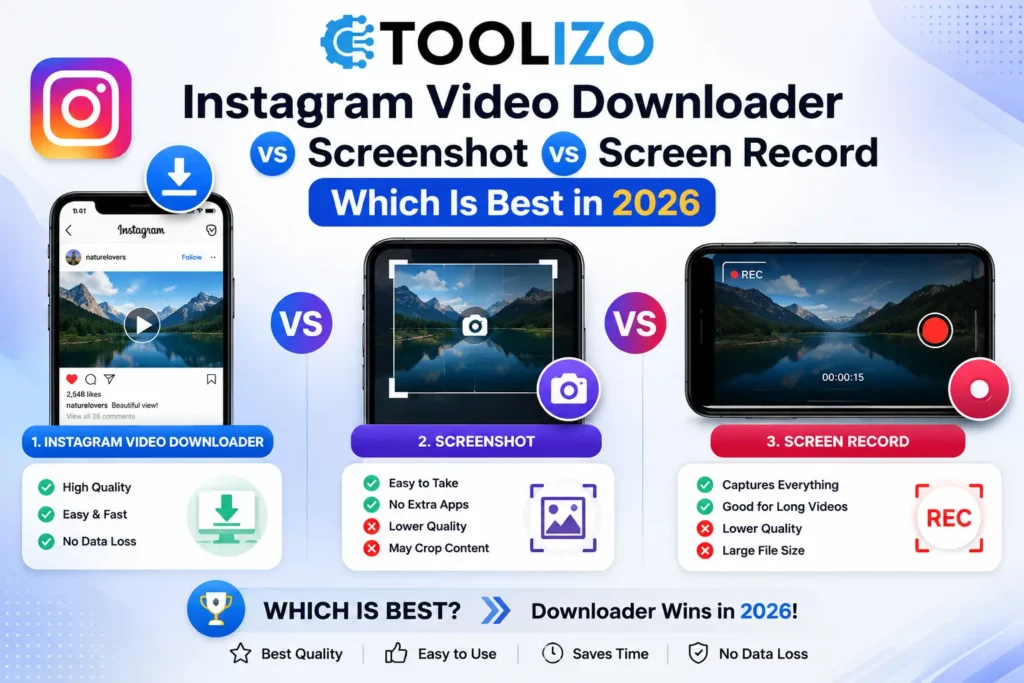
There are four main ways to save Instagram video content in 2026: using a dedicated downloader tool, taking a screenshot, screen recording, and using Instagram’s built-in save feature. Each produces a very different result. This guide compares all four methods so you can choose the right approach for your specific need.
The Four Methods for Saving Instagram Videos
The four methods for saving Instagram video content in 2026 are a browser-based downloader tool, Instagram’s native download button, phone screen recording, and screenshot. A dedicated downloader like the Toolizo Instagram Video Downloader is the only method that produces a watermark-free HD copy of the original video file without any notification sent and with no quality loss. Instagram’s native download adds a watermark. Screen recording captures the watermark and degrades quality. Screenshots capture only a single frame, not the video itself.
Method 1 Instagram Video Downloader (Best Option)
A browser-based Instagram video downloader is the best method for saving any public Instagram video, Reel, or IGTV in 2026. It accesses the original source file from Instagram’s CDN before any watermark is applied, producing an HD copy identical to what the creator uploaded. No Instagram account is needed, no notification is sent, and the downloaded file is a standalone MP4 that plays in any video app and works in editing software. The Toolizo Instagram Video Downloader is free, works on iPhone and Android, and requires no login.
Instagram has over 2 billion monthly active users according to 元, and Reels alone are shared over 4.5 billion times every day.
- Open Instagram and copy the video or Reel link using the Share button
- 前往 Instagram Video Downloader at toolizo.com/instagram-video-downloader/
- 粘贴链接并点击下载
- Save the HD MP4 file to your device
Method 2 Instagram Native Download Button
Instagram’s built-in Reel download feature is available when a creator has enabled it. It saves the Reel to your camera roll but adds a visible watermark displaying the creator’s username and the Instagram logo. The downloaded file is also compressed compared to the original upload. Instagram’s native download is the easiest method but produces the worst quality output with an unavoidable watermark.
Method 3 Screen Recording
Screen recording an Instagram video captures whatever is on screen, including the Instagram interface, any UI elements, and the watermark if present. Screen recordings are lower quality than the original because the recording compresses the video a second time while capturing any screen refresh issues. They also capture the Instagram header, like and comment buttons, and any popups. For any use beyond casual personal reference, screen recording produces unusable quality.
Method 4 Screenshot
A screenshot captures a single still frame from an Instagram video, not the video itself. Useful for capturing a specific moment for reference or sharing purposes. Instagram does not send a notification when you screenshot a Reel or regular video post. Screenshots are useful for image references and mood boarding but are not a substitute for downloading the actual video file.
Full Comparison Table
| Criteria | Downloader Tool | Instagram Native | 屏幕录制 | Screenshot |
|---|---|---|---|---|
| Video quality | HD / Full HD original | 压缩 | 质量较低 | Single frame only |
| Watermark | 没有任何 | Instagram + username | Visible on screen | Visible if present |
| Notification to creator | 没有任何 | 没有任何 | None for Reels | 没有任何 |
| Works when creator disables download | Yes | 不 | Yes | Yes |
| Login required | 不 | Yes | Yes | Yes |
| Usable for editing | Yes | 有限的 | 不 | 不 |
| Works on iPhone and Android | Yes | Yes | Yes | Yes |
根据经验: A social media content strategist manages Instagram strategy for four brands and regularly downloads competitor Reels for performance analysis. When she tried screen recording, the files were too degraded for client reports compression artefacts and visible watermarks made the content look unprofessional. After switching to the Toolizo Instagram 视频下载器, she presents clean HD Reel comparisons in monthly client decks with side-by-side quality comparisons that would be impossible with screen-recorded footage.
Frequently Asked Questions
Q: Does Instagram notify the creator when I use a downloader to save their Reel?
A: No. No engagement signal is triggered by the download process through a third-party tool.
Q: Is downloading someone’s Instagram video legal?
A: Downloading for personal reference is generally accepted as personal use. Re-uploading as your own work or using commercially without permission can constitute copyright infringement.
Q: What quality does the downloaded Instagram video save at?
A: The tool downloads the original source file from Instagram’s CDN. Most Reels are uploaded at 1080p Full HD, so the download is at Full HD quality.
Download Instagram Videos in HD Without Watermark
免费 Instagram Video Downloader at Toolizo gives you the original HD file with no watermark in seconds. For stories use the Instagram Story Viewer。 或者 explore the full Instagram toolkit.
作者: Toolizo Editorial Team
fsadmin10
